Navigating the documentation
- Back
- Administrative Panel Main Page (Dashboard)
- Content (posts, pages, categories, comments, selections, forms)
- Media files (File Manager)
- Users, their groups, and permissions
- Feeds (Content Distribution)
- Modules
- Themes
- Analytics
- CMS Settings
- About the System
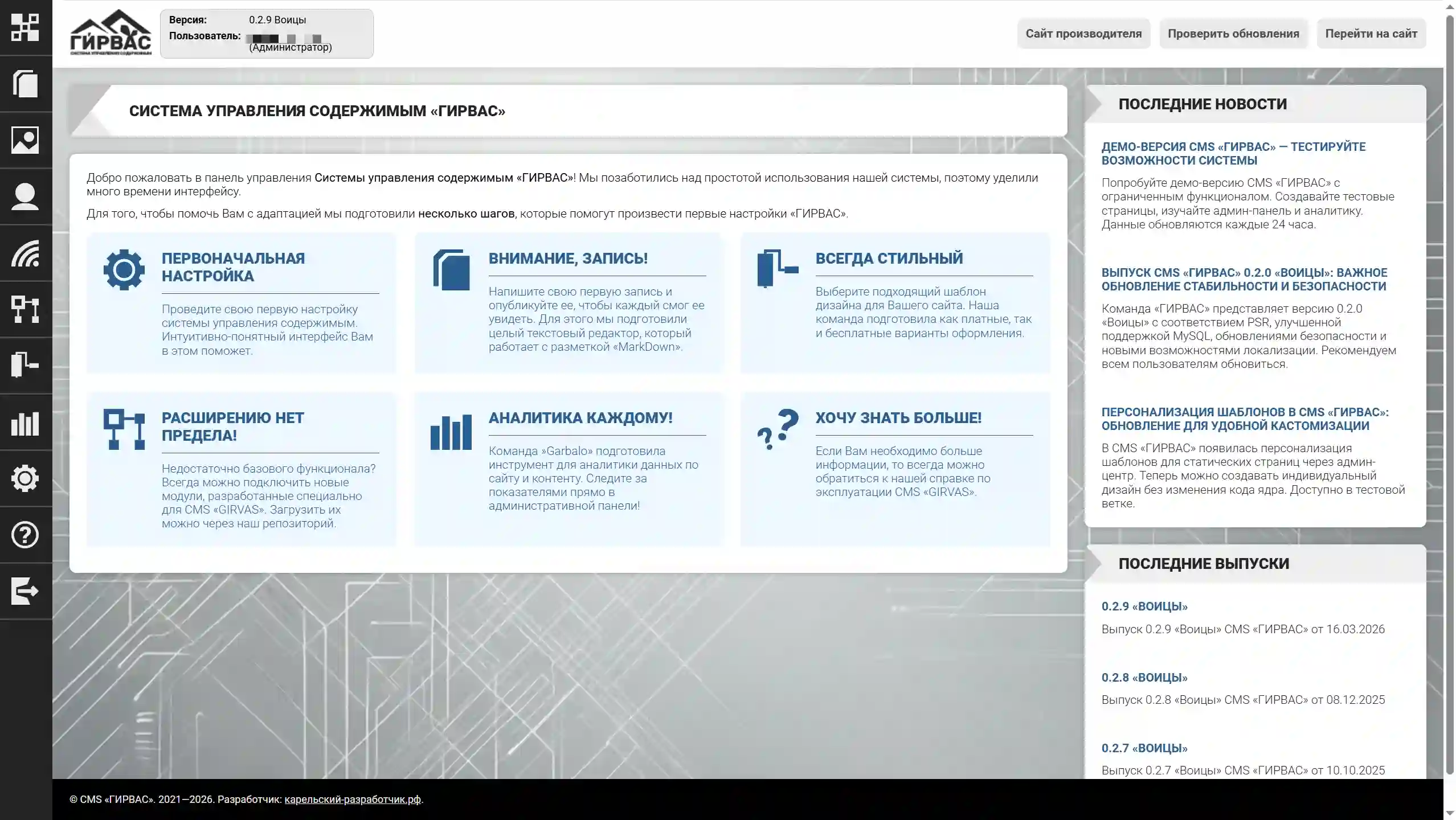
The starting page of the CMS admin panel is called the "Dashboard." This page displays a welcome message and recommendations for using the software:
- Initial Setup - Clicking this redirects you to a page with tools for configuring the GIRVAS CMS.
- Attention, recording! - Clicking this redirects you to a page with tools for managing records on the website.
- Everything is stylish — when clicked, you'll be redirected to a page with tools for managing themes for the site.
- No Limits to Expansion! — when clicked, you'll be redirected to a page with tools for managing modules for the system.
- Analytics for Everyone! — when clicked, you'll be redirected to a page with tools for viewing analytical data, which is collected automatically by the system.
- I Want to Know More! — when clicked, you'll be redirected to a page with instructions for using the GIRVAS CMS.
To the right of the main toolbar area is a column with blocks of additional information. For the start page, this column features a block with the latest news related to software development, and below it, a block with the latest software releases.