
Navigating the documentation
- Back
- Administrative Panel Main Page (Dashboard)
- Content (posts, pages, categories, comments, selections, forms)
- Media files (File Manager)
- Users, their groups, and permissions
- Feeds (Content Distribution)
- Modules
- Themes
- Analytics
- CMS Settings
- About the System
Managing Feeds via the GIRVAS CMS Administrative Panel
The CMS admin panel provides feed management (web feeds) for distributing information off-site using several specifications: RSS 1.0, RSS 2.0, and Atom.
RSS (Really Simple Syndication) and Atom are content syndication formats that allow users to receive website updates without having to visit them directly.
Feeds
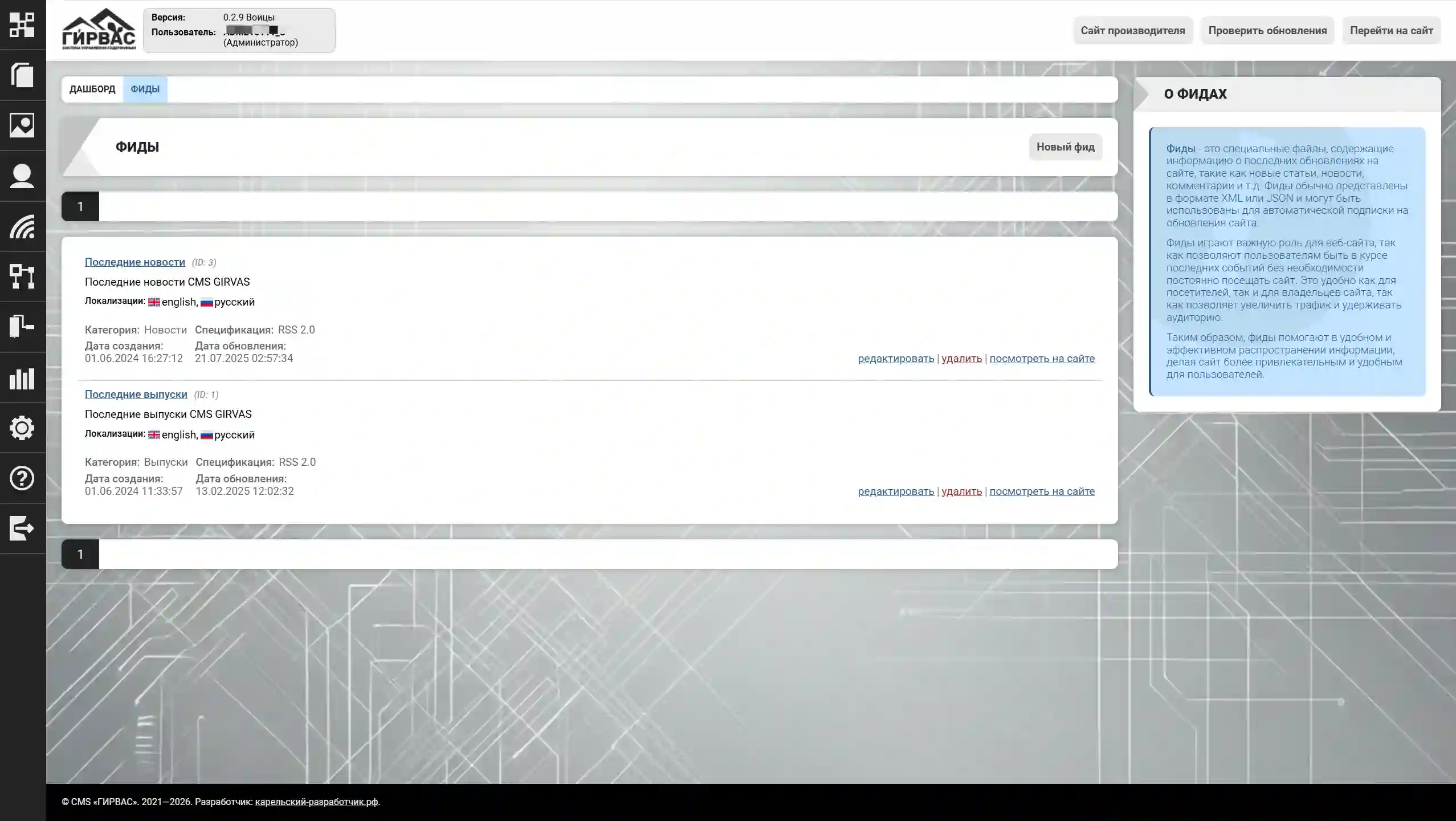
The section's start page displays a list of created feeds. Each list item has a toolbar for interaction:
- Edit – edit the item;
- Delete – delete the item.
After creation, all feeds generate a special content feed in XML format, which is accessible to external applications at /feed/<TECHNICAL_NAME>?locale=<LOCALIZATION_NAME> (example: /feed/test-channel?locale=ru_RU).
Example of a feed after generation:
<rss version="2.0">

    <channel>

        <title>Последние выпуски</title>

        <link>https://cms-girvas.ru/entries/releases</link>

        <description>Последние выпуски CMS GIRVAS</description>

        <lastBuildDate>Wed, 25 Mar 2026 14:35:33 MSK</lastBuildDate>

        <docs>http://blogs.law.harvard.edu/tech/rss</docs>

        <generator>CMS GIRVAS: Web Channel Builder</generator>

        <pubDate>Thu, 19 Mar 2026 20:34:15 +0300</pubDate>

        <item>

            <title>0.2.9 «Воицы»</title>

            <description>

                <![CDATA[ Выпуск 0.2.9 «Воицы» CMS «ГИРВАС» от 16.03.2026 ]]>

            </description>

            <link>https://cms-girvas.ru/entry/release-0-2-9-voitsy</link>

            <pubDate>Tue, 17 Mar 2026 10:06:35 +0300</pubDate>

        </item>

        <item>

            <title>0.2.8 «Воицы»</title>

            <description>

                <![CDATA[ Выпуск 0.2.8 «Воицы» CMS «ГИРВАС» от 08.12.2025 ]]>

            </description>

            <link>https://cms-girvas.ru/entry/release-0-2-8-voitsy</link>

            <pubDate>Tue, 17 Mar 2026 09:54:38 +0300</pubDate>

        </item>

    </channel>

</rss>
Creating and Editing Feeds
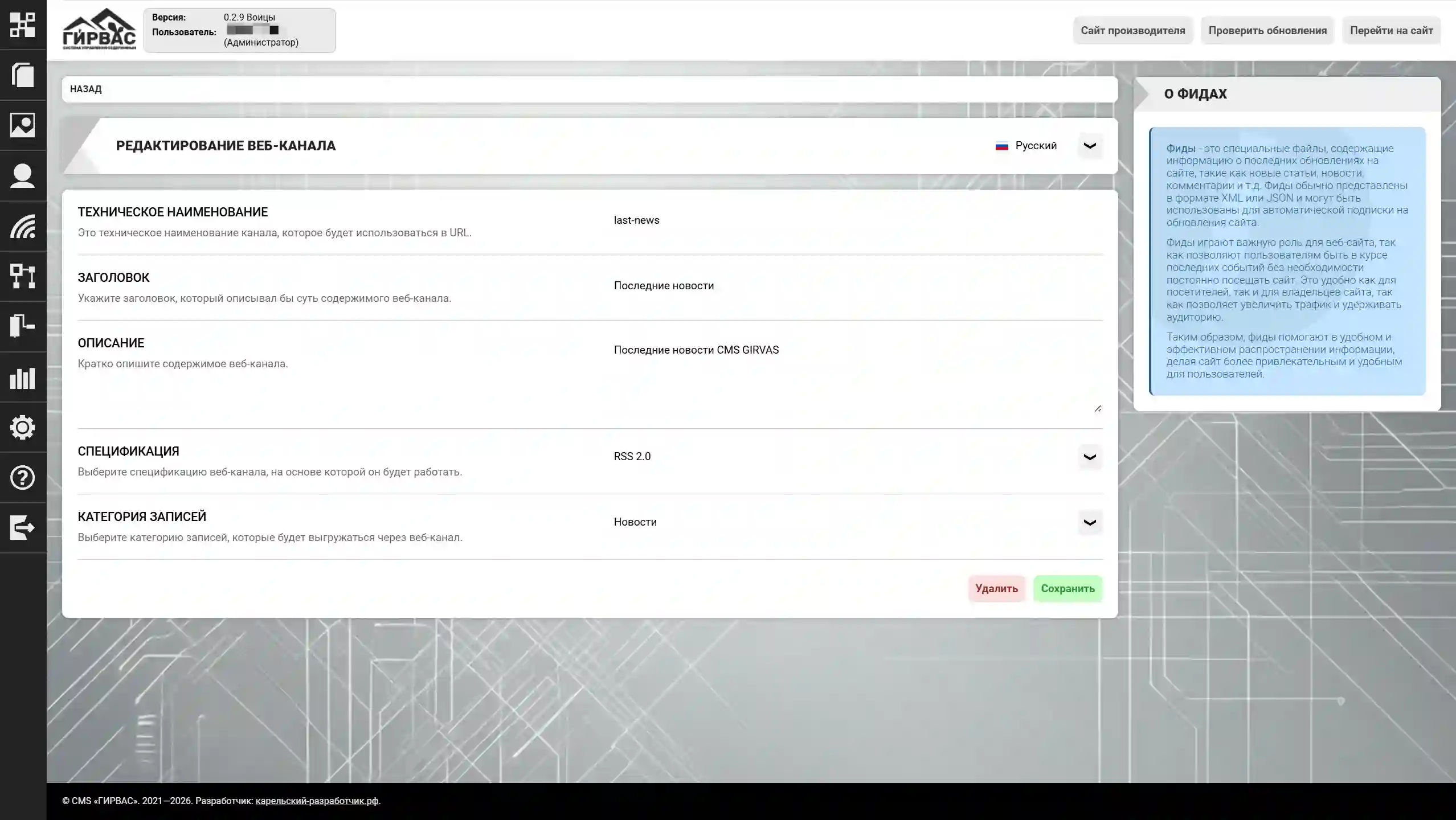
Creation and editing are performed through a single "Feed Editing" tool, which is a form for filling in data. The form includes the following fields:
- Technical Name – the name used to generate the URL. Only Latin characters are allowed in this field. Future versions may include the ability to work with Cyrillic URLs, given the presence of domains in Russia that support Cyrillic characters in the address bar;
- Title – the title embedded in the feed header section;
- Description – a description embedded in the feed description section;
- Specification – the feed assembly method. Currently, the GIRVAS CMS supports three specifications: RSS 1.0, RSS 2.0, and Atom;
- Post Category – the post category used to generate the list of posts used to generate the feed.
After completing the form, click the "Save" button.
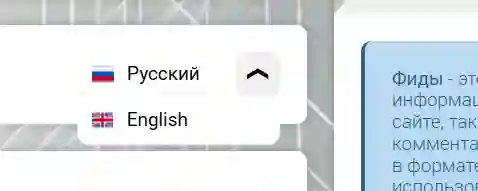
The "Feed Editing" tool supports the CMS's multilingual system. To change the language of the feed being filled, select the appropriate value from the drop-down list located to the right of the tool's header.
Deleting a Feed
A feed can be deleted by clicking the "Delete" button on the feed list page in the "Feeds" section. Deletion is also available by clicking the "Delete" button on the feed editing page.
When attempting to delete, the system displays a pop-up window asking you to confirm the deletion. If you confirm, the feed is permanently deleted; if you decline, the action is canceled.