Navigating the documentation
- Back
- Authorization in the Administrative Panel
- Administrative Panel Interface
- Administrative Panel Sections
- Main Page (Dashboard) of the Administrative Panel
- Content (posts, pages, categories, comments, selections, forms)
- Media Files (File Manager)
- Users, Their Groups, and Permissions
- [Feeds (Distribution) [content]](/documentation/expluatation/admin-feeds)
- Modules
- Themes
- Analytics
- CMS Settings
- About the System
GIRVAS CMS Administrative Panel Interface
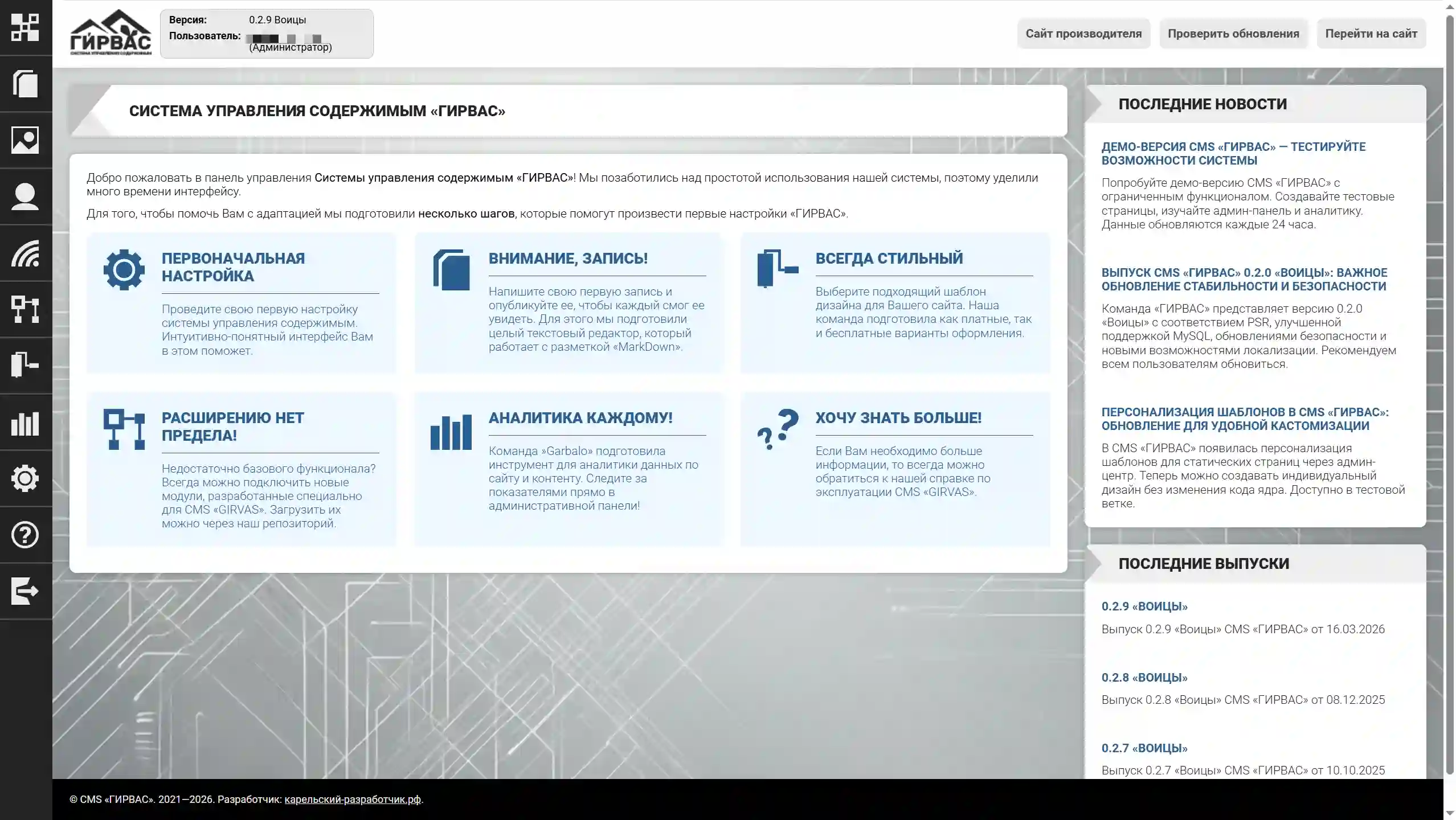
The admin panel interface is a set of elements that provide navigation through the system and interaction with built-in functionality.
On the left side of the interface (at the top in the mobile version), there is a navigation bar, providing access to pages with relevant tools. At the time of writing, the dashboard contains the following elements:
- Dashboard — the start page of the admin panel, containing a welcome message and a list of initial steps for familiarizing yourself with the basic functionality;
- Posts — a page with tools for managing posts on the website;
- Static Pages — a page with tools for managing static pages on the website;
- Media Files — a page with tools for uploading media files. Media files are graphic files; currently, only image uploads are supported;
- Users — a page with tools for managing users and user groups on the website;
- Feeds — a page with tools for managing feeds on the website;
- Modules — a page with tools for managing CMS modules: you can download, activate, deactivate, and delete modules from the official repository;
- Themes — a page with tools for managing CMS themes: templates can be downloaded from the official repository, installed, and deleted;
- Settings — a page for configuring CMS parameters;
- Logout — terminating a session in the admin panel.
To the right (below in the mobile version) is the main area of the admin panel window. This area displays the page for the selected toolkit, as well as an additional panel with functionality for checking for GIRVAS CMS updates and redirecting to the website, and blocks with additional information (usually a description of the toolkit page).