
The company "Karelian Developer" presents the 0.3.0 "Shuya" update for the "GIRVAS" content management system. The version succeeds the "Voitsy" code stage and is named after the Shuya River — one of the largest rivers in the Republic of Karelia, originating from Lake Suoyarvi and flowing into Lake Onega. The tradition of naming CMS versions after Karelian bodies of water emphasizes the product"s regional identity and its integration into the landscape of domestic technological developments.
This release focuses on the development of content navigation tools, search capabilities, and search engine optimization tools, and also contains substantial technical improvements to the system core.
Built-in Search Engine
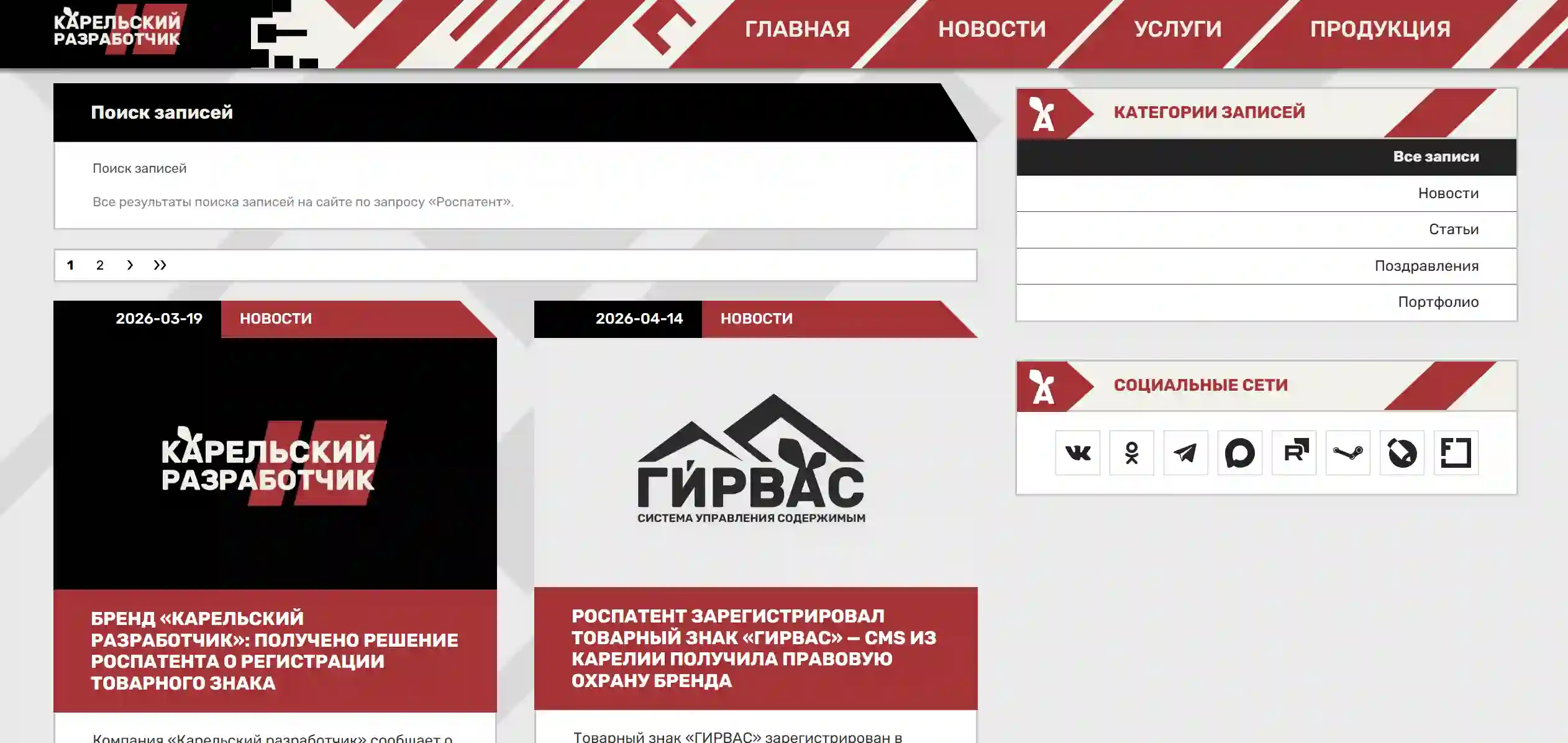
One of the key innovations of the version is the implementation of a full-text search engine that operates without third-party services or plugins.
Search is performed across entry titles, descriptions, main content, and keywords. An AND-search logic has been implemented with automatic query splitting into individual words and punctuation exclusion, allowing relevant materials to be found even with imprecise phrasing. Result ranking is based on configurable weight coefficients: matches in titles take priority over matches in the document body.
In the admin panel, search capabilities will be expanded in future updates: authenticated users will be able to search across entries, static pages, and system users.
Entry Archive with Date Navigation
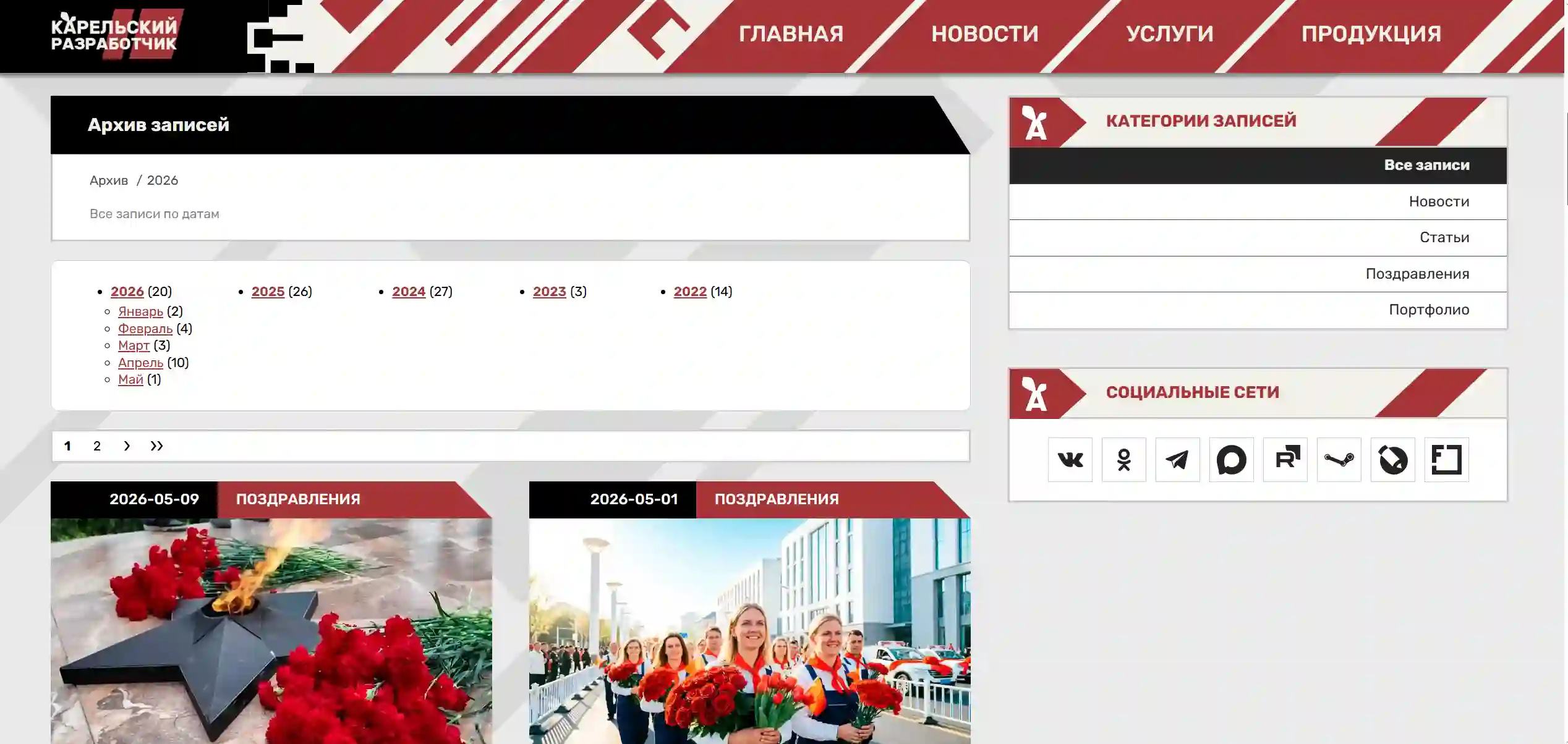
Version 0.3.0 introduces a built-in entry archive — a tool for chronological content navigation.
The functionality automatically groups entries by years and months, displaying the number of publications for each time interval. Navigation supports filtering by category: the user can view both the general archive of all site entries and the archive of an individual category. Breadcrumbs are dynamically generated based on the selected period and category, enabling convenient movement between archive levels. Archive pages are optimized for search engines — meta tags are generated automatically, and archive page URLs are included in the dynamic sitemap.
Category Hierarchy and Improved Navigation
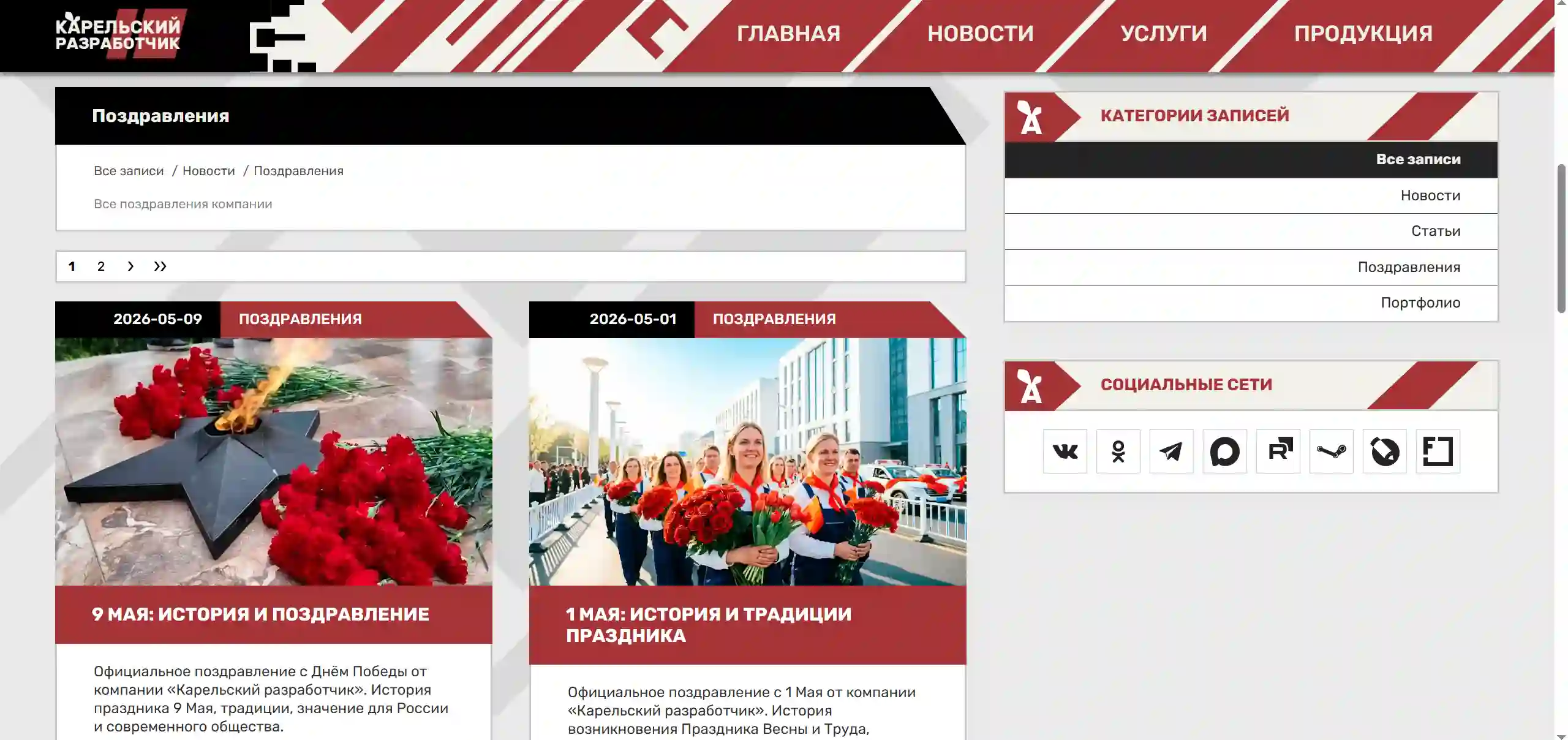
The update implements support for child categories with recursive tree traversal. The category page now displays entries taking into account all nested subcategories, providing a more complete representation of the content.
Breadcrumbs on category and entry pages display the full hierarchical chain from the root category to the current position. This improvement enhances both user navigation and the site"s internal linking for search engines.
Built-in SEO Content Analyzer
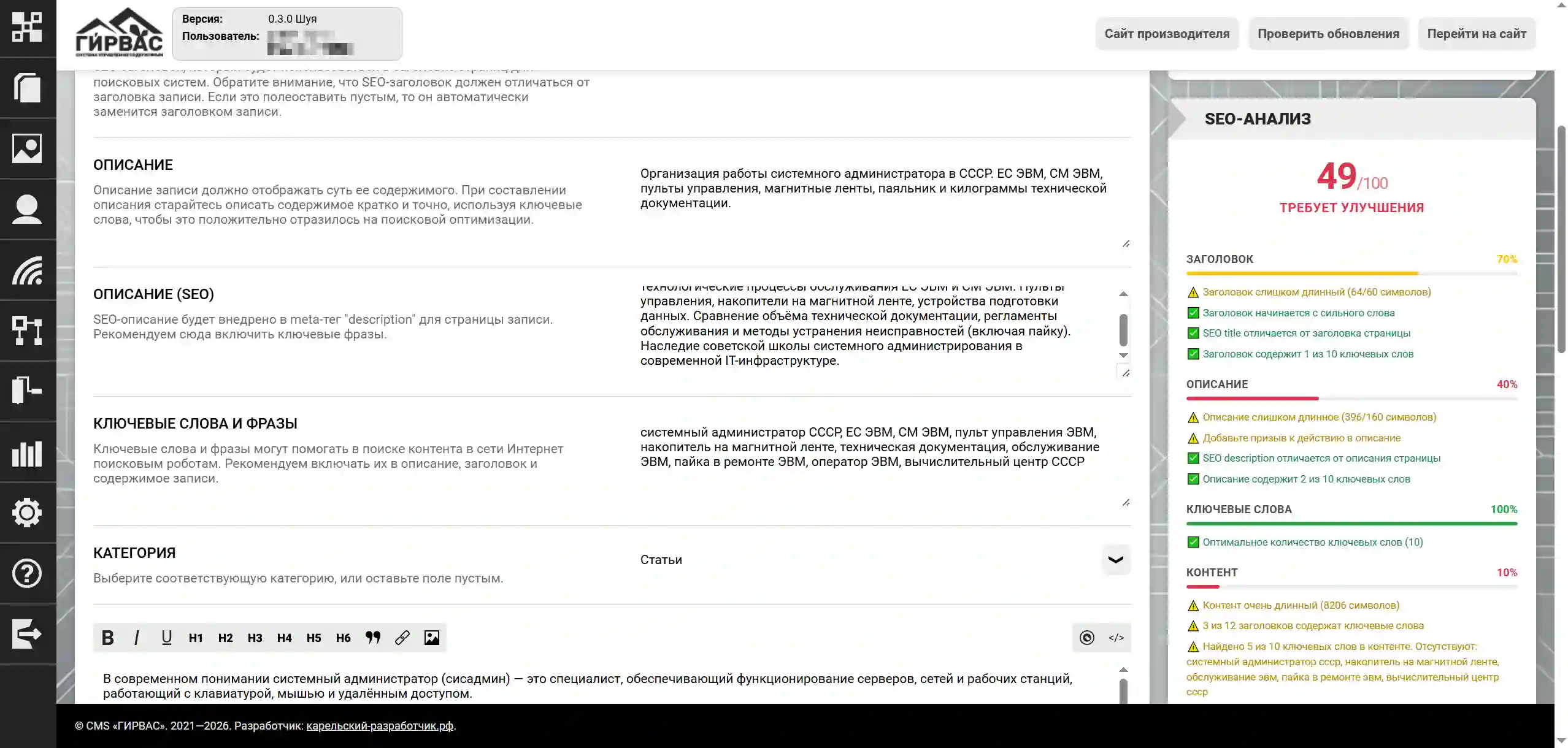
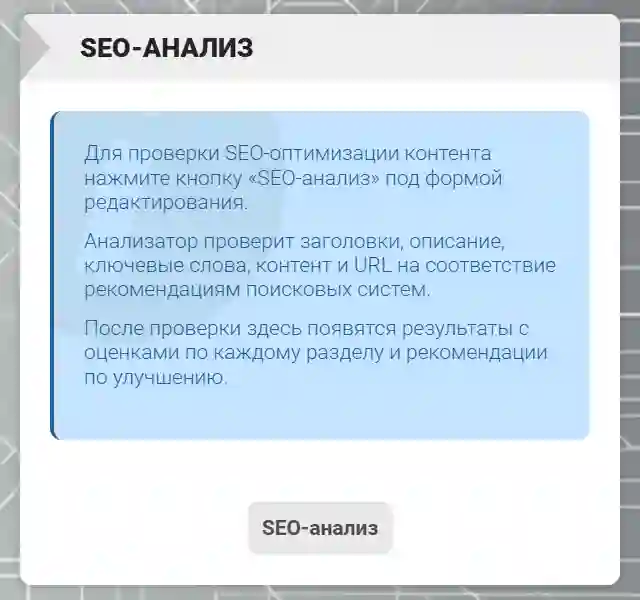
A client-side SEO analyzer is integrated into the page and entry editor of the admin panel, operating without server requests.
The analyzer performs checks across five areas: title, meta description, keywords, content, and URL. Among the checked parameters are the length and content of SEO tags, keyword occurrence in headings, first paragraph, and main text, correctness of heading hierarchy, presence of alt text in images, the rel="nofollow" attribute on external links, detection of "bare" URLs, and recommendations for formatting them in Markdown. Analysis results are displayed instantly with color coding, progress bars, and a block of specific improvement recommendations.
Content Blocks
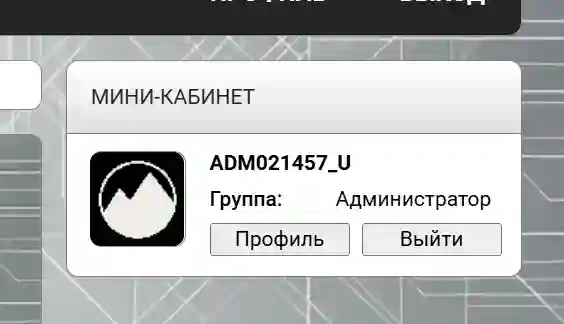
A new "Content Blocks" section has appeared in the admin panel, designed for managing specialized elements embedded into theme sections without editing templates.
Multiple block types are supported:
- "Personalized" — arbitrary content with Markdown formatting;
- "Cabinet" — user mini-profile with automatic display of the login form for unauthenticated visitors;
- "Category List" — hierarchical list of all entry categories;
- "Empty" — specialized type for integration by third-party modules.
For each block, display rules are configured via regular expressions applied to the URL. When the requested address matches the pattern, the block is displayed in the corresponding section of the theme.
Technical Core Improvements
Version 0.3.0 contains substantial improvements to the QueryBuilder component — the internal SQL query builder:
- Added support for JOINs (INNER, LEFT, RIGHT, FULL) with adaptive condition generation for MySQL and PostgreSQL;
- Implemented the CaseExpression class for building CASE expressions, including specialized methods for JSON search;
- Added comprehensive index support: creation and deletion with consideration of types
BTREE,HASH,GIST,GIN,SPGIST,BRIN,FULLTEXT, as well asUNIQUE,CONCURRENTLY,IF NOT EXISTS, and partial indexes with WHERE conditions.
During CMS installation, optimizing indexes are now automatically created for all tables, including GIN indexes for JSONB fields (PostgreSQL) and a partial index for published entries. Index creation errors are logged without interrupting the installation process.
The EntryCategory class has received caching of initialized data, preventing repeated database queries during multiple calls to the initData() method.
Migration
File System Update
We strongly recommend obtaining the update through the official CMS "GIRVAS" repository. If you use it by default, run the console command git pull in the root of your project, after switching to the production branch (if you previously used a different branch).
After updating the file system, be sure to clear the cache: rm -R ./cache/* (the path may vary depending on your actual location in the system).
Database Migration
After successfully updating the CMS files, a database migration must be performed. To do this, you need to execute several SQL queries against your database (simply copy and paste), depending on your DBMS type.
For MySQL
-- Creating the table for content blocks --
CREATE TABLE IF NOT EXISTS content_blocks (
    `id` INT AUTO_INCREMENT NOT NULL PRIMARY KEY,
    `name` TEXT NOT NULL,
    `texts` JSON,
    `metadata` JSON,
    `createdUnixTimestamp` INTEGER NOT NULL DEFAULT 0,
    `updatedUnixTimestamp` INTEGER NOT NULL DEFAULT 0
);

-- Indexes for the entries table
CREATE INDEX idx_entries_category ON entries (`categoryID`);
CREATE INDEX idx_entries_author ON entries (`authorID`);
CREATE INDEX idx_entries_created ON entries (`createdUnixTimestamp` DESC);
CREATE INDEX idx_entries_updated ON entries (`updatedUnixTimestamp`);
CREATE UNIQUE INDEX idx_entries_name_unique ON entries (`name`);

-- Indexes for the entries_categories table
CREATE INDEX idx_entries_categories_parent ON entries_categories (`parentID`);
CREATE UNIQUE INDEX idx_entries_categories_name_unique ON entries_categories (`name`);

-- Indexes for the entries_comments table
CREATE INDEX idx_entries_comments_entry ON entries_comments (`entryID`);
CREATE INDEX idx_entries_comments_author ON entries_comments (`authorID`);
CREATE INDEX idx_entries_comments_created ON entries_comments (`createdUnixTimestamp` DESC);

-- Indexes for the pages_static table
CREATE UNIQUE INDEX idx_pages_static_name_unique ON pages_static (`name`);
CREATE INDEX idx_pages_static_author ON pages_static (`authorID`);
CREATE INDEX idx_pages_static_created ON pages_static (`createdUnixTimestamp` DESC);

-- Indexes for the users table
CREATE UNIQUE INDEX idx_users_login_unique ON users (`login`);
CREATE UNIQUE INDEX idx_users_email_unique ON users (`email`);

-- Indexes for the users_sessions table
CREATE INDEX idx_users_sessions_user ON users_sessions (`userID`);
CREATE INDEX idx_users_sessions_token ON users_sessions (`token`);

-- Indexes for the forms_data table
CREATE INDEX idx_forms_data_form ON forms_data (`formID`);
CREATE INDEX idx_forms_data_created ON forms_data (`createdUnixTimestamp` DESC);

-- Indexes for the web_channels table
CREATE UNIQUE INDEX idx_web_channels_name_unique ON web_channels (`name`);

-- Indexes for the metrics table
CREATE INDEX idx_metrics_date ON metrics (`date`);
For PostgreSQL
-- Creating the table for content blocks --
CREATE TABLE IF NOT EXISTS content_blocks (
    "id" SERIAL NOT NULL PRIMARY KEY,
    "name" TEXT NOT NULL,
    "texts" JSONB,
    "metadata" JSONB,
    "createdUnixTimestamp" INTEGER NOT NULL DEFAULT 0,
    "updatedUnixTimestamp" INTEGER NOT NULL DEFAULT 0
);

-- Indexes for the entries table
CREATE INDEX IF NOT EXISTS idx_entries_category ON entries ("categoryID");
CREATE INDEX IF NOT EXISTS idx_entries_author ON entries ("authorID");
CREATE INDEX IF NOT EXISTS idx_entries_created ON entries ("createdUnixTimestamp" DESC);
CREATE INDEX IF NOT EXISTS idx_entries_updated ON entries ("updatedUnixTimestamp");
CREATE UNIQUE INDEX IF NOT EXISTS idx_entries_name_unique ON entries ("name");
CREATE INDEX IF NOT EXISTS idx_entries_texts_gin ON entries USING GIN (texts);
CREATE INDEX IF NOT EXISTS idx_entries_metadata_gin ON entries USING GIN (metadata);
CREATE INDEX IF NOT EXISTS idx_entries_published ON entries ("createdUnixTimestamp" DESC) WHERE (metadata::jsonb->>"isPublished")::boolean = true;

-- Indexes for the entries_categories table
CREATE INDEX IF NOT EXISTS idx_entries_categories_parent ON entries_categories ("parentID");
CREATE UNIQUE INDEX IF NOT EXISTS idx_entries_categories_name_unique ON entries_categories ("name");

-- Indexes for the entries_comments table
CREATE INDEX IF NOT EXISTS idx_entries_comments_entry ON entries_comments ("entryID");
CREATE INDEX IF NOT EXISTS idx_entries_comments_author ON entries_comments ("authorID");
CREATE INDEX IF NOT EXISTS idx_entries_comments_created ON entries_comments ("createdUnixTimestamp" DESC);

-- Indexes for the pages_static table
CREATE UNIQUE INDEX IF NOT EXISTS idx_pages_static_name_unique ON pages_static ("name");
CREATE INDEX IF NOT EXISTS idx_pages_static_author ON pages_static ("authorID");
CREATE INDEX IF NOT EXISTS idx_pages_static_created ON pages_static ("createdUnixTimestamp" DESC);
CREATE INDEX IF NOT EXISTS idx_pages_static_texts_gin ON pages_static USING GIN (texts);

-- Indexes for the users table
CREATE UNIQUE INDEX IF NOT EXISTS idx_users_login_unique ON users ("login");
CREATE UNIQUE INDEX IF NOT EXISTS idx_users_email_unique ON users ("email");

-- Indexes for the users_sessions table
CREATE INDEX IF NOT EXISTS idx_users_sessions_user ON users_sessions ("userID");
CREATE INDEX IF NOT EXISTS idx_users_sessions_token ON users_sessions ("token");

-- Indexes for the forms_data table
CREATE INDEX IF NOT EXISTS idx_forms_data_form ON forms_data ("formID");
CREATE INDEX IF NOT EXISTS idx_forms_data_created ON forms_data ("createdUnixTimestamp" DESC);

-- Indexes for the web_channels table
CREATE UNIQUE INDEX IF NOT EXISTS idx_web_channels_name_unique ON web_channels ("name");

-- Indexes for the metrics table
CREATE INDEX IF NOT EXISTS idx_metrics_date ON metrics ("date");
Conclusion
The CMS "GIRVAS" 0.3.0 "Shuya" update combines the development of user navigation and search tools with deep technical modernization of the core. We recommend that all users perform the update to evaluate the enhanced search capabilities, convenient content archiving, and new SEO optimization tools.


Comments